DOWNLOAD / VERSION 1.1.2

Windows: choose the installer. Android: download the APK.

The Windows installer is right for most people; choose the portable ZIP only when you need to run without installation. Android has one signed APK, and both platforms can send folders.

Software updated: 2026-09-13

  • Windows 10 / 11 (64-bit)
  • Android 7.0 or later
  • One license covers Windows and Android

WINDOWS + ANDROID

Download v1.1.2 for your device

Check your system first, then choose by use case. The installer is the default Windows choice; Android has a single APK.

WINDOWSWindows 10 / 11 (64-bit)
v1.1.2
Supported systemsDefault choice: InstallerFor standard 64-bit Intel and AMD PCs
Recommended

Windows installer

Installs the app and adds Start menu integration. Choose this for regular, long-term use.

Best forEveryday use on your own PC
File
CipherTransLocal-v1.1.2-Windows-Setup.exe
Size
4.8 MiB
Download Windows installer (recommended)
ANDROIDAndroid 7.0 or later
v1.1.2
Supported systemsOne versionAPI 24+ for phones and tablets across common CPU architectures
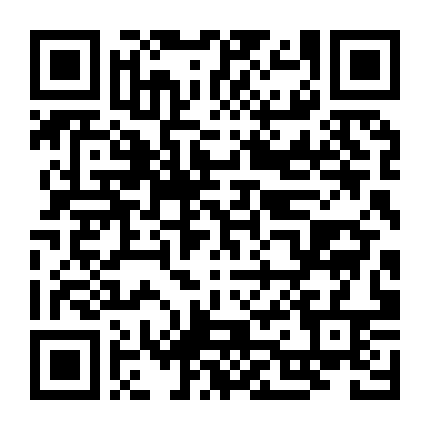
Scan with an Android phone

Scan or tap to download the Android APK

Android users do not need to choose between installer and portable editions. Download this one signed APK; its permanent signature supports future in-place updates.

File
CipherTransLocal-v1.1.2-Android.apk
Size
75.5 MiB
Download Android APK (one version) ciphertrans.com/downloads/CipherTransLocal-v1.1.2-Android.apk

VERIFY BEFORE INSTALLING

Verify the SHA-256 after downloading

The hashes confirm that your download matches the files published here. You can also download the complete SHA256SUMS.txt file.

CipherTransLocal-v1.1.2-Windows-Setup.exe4.8 MiB
e4140e0cfb63ba6ce04e15ceae2bf76a6ca466175a6929acbe7bbe03f72c138e
CipherTransLocal-v1.1.2-Windows-Portable.zip6.5 MiB
dfa3d5bb3b7de82af07c368aae158e119d20c662a25905c88c244e7ae62d60fe
CipherTransLocal-v1.1.2-Android.apk75.5 MiB
d1e0349fd34e24c5bf726786fadf09c8afc678d895eb62ca21af38a979e6aa36
Download SHA256SUMS.txt

DOWNLOAD FAQ

Which package should you choose, and how do you verify it?

Can I send a whole folder?

Yes. Desktop users can choose or drag a folder, while Android users can choose one from the system folder picker. Ordinary files are sent individually with their own status.

Should I download the Windows installer or portable ZIP?

Choose the installer for normal use. It installs the app and creates Start menu integration. Use the portable ZIP only when you specifically need extraction-only, temporary, or removable-storage use.

How does the free trial work?

Each account receives one server-created free three-day trial after successful registration. It does not charge or renew automatically; after expiry, sending and receiving lock even offline, and reinstalling does not reset the deadline.

Are there different Android APK variants?

No. The current release has one signed APK for common phones and tablets running Android 7.0 / API 24 or later. Future releases will keep the same permanent signing identity.

How can I verify that the download is intact?

Compare the filename and SHA-256 on this page with a hash calculated on your device. SHA256SUMS.txt contains all three published package hashes in one file.

Does a Windows SmartScreen warning mean the file is malware?

Not necessarily. The first Windows release does not yet have paid Authenticode signing, so reputation warnings may appear. Download only from ciphertrans.com, verify SHA-256, and do not disable Defender or SmartScreen globally.

What is the difference between the Windows installer and portable ZIP?

The installer is best for regular use; the portable ZIP runs after extraction and suits temporary or removable-storage use.

How do I verify that a download was not replaced?

Compare the filename, size, and SHA-256 shown on the official page, or download SHA256SUMS.txt and calculate the hash locally.

Why does Android ask to allow installation from an unknown source?

Android is asking whether the browser or file manager may install an APK. Grant permission only to a source you trust.

Which devices does the latest fixed build support?

The release includes Windows 10/11 64-bit and a signed Android APK for Android 7.0 / API 24 or later.

What happens after installation?

  1. 01

    Register an account and receive one free 3-day trial

  2. 02

    Open the app on Windows and Android

  3. 03

    Put both devices on the same reachable Wi-Fi or LAN

  4. 04

    Copy the trial or lifetime key from the account center; after trial expiry, activate the lifetime edition to keep sending and receiving