Windows · Setup.exeWindows 10 / 11 · 64-bit
RecommendedDOWNLOAD / VERSION 1.1.0
Windows: choose the installer. Android: download the APK.
The Windows installer is right for most people; choose the portable ZIP only when you need to run without installation. Android has one signed APK.
- Windows 10 / 11 (64-bit)
- Android 7.0 or later
- One license covers Windows and Android
WINDOWS + ANDROID
Download v1.1.0 for your device
Check your system first, then choose by use case. The installer is the default Windows choice; Android has a single APK.
WINDOWSWindows 10 / 11 (64-bit)
Supported systemsDefault choice: InstallerFor standard 64-bit Intel and AMD PCs
Recommended
Windows installer
Installs the app and adds Start menu integration. Choose this for regular, long-term use.
Best forEveryday use on your own PC
- File
- CipherTransLocal-v1.1.0-Windows-Setup.exe
- Size
- 4.7 MiB
ANDROIDAndroid 7.0 or later
Supported systemsOne versionAPI 24+ for phones and tablets across common CPU architectures
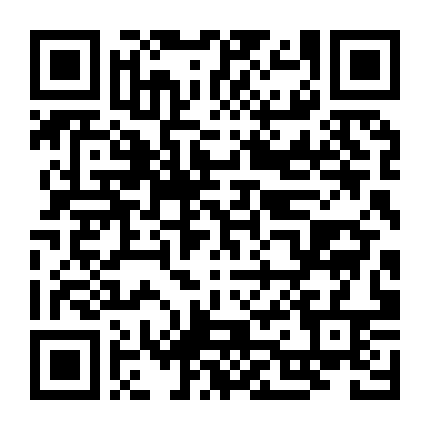
Scan with an Android phone
Scan or tap to download the Android APK
Android users do not need to choose between installer and portable editions. Download this one signed APK; its permanent signature supports future in-place updates.
VERIFY BEFORE INSTALLING
Verify the SHA-256 after downloading
The hashes confirm that your download matches the files published here. You can also download the complete SHA256SUMS.txt file.
CipherTransLocal-v1.1.0-Windows-Setup.exe4.7 MiB
ebfb739c6a30f165bc8c9cb250dbffe673e27d290c0d7ee5fc9a85c2551dd9beCipherTransLocal-v1.1.0-Windows-Portable.zip6.4 MiB
f9519c5397db6aa98856057b048b632428b8599187ef2771166a3672c7cb9528CipherTransLocal-v1.1.0-Android.apk73.4 MiB
6b9b52fbd3213a33b20c6ced11d6daf95b42c5c0f54721c277148b03e31f604dDOWNLOAD FAQ
Which package should you choose, and how do you verify it?
Should I download the Windows installer or portable ZIP?
Choose the installer for normal use. It installs the app and creates Start menu integration. Use the portable ZIP only when you specifically need extraction-only, temporary, or removable-storage use.
Are there different Android APK variants?
No. The current release has one signed APK for common phones and tablets running Android 7.0 / API 24 or later. Future releases will keep the same permanent signing identity.
How can I verify that the download is intact?
Compare the filename and SHA-256 on this page with a hash calculated on your device. SHA256SUMS.txt contains all three published package hashes in one file.
Does a Windows SmartScreen warning mean the file is malware?
Not necessarily. The first Windows release does not yet have paid Authenticode signing, so reputation warnings may appear. Download only from ciphertrans.com, verify SHA-256, and do not disable Defender or SmartScreen globally.